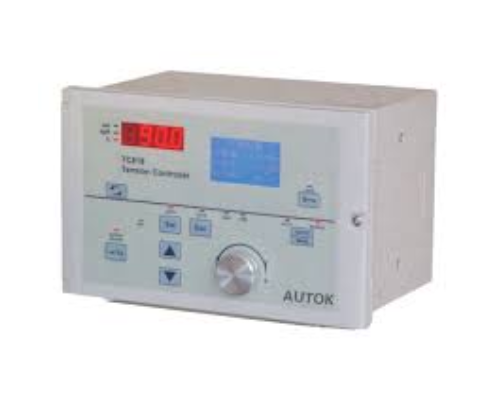
| 7-Segment Display |
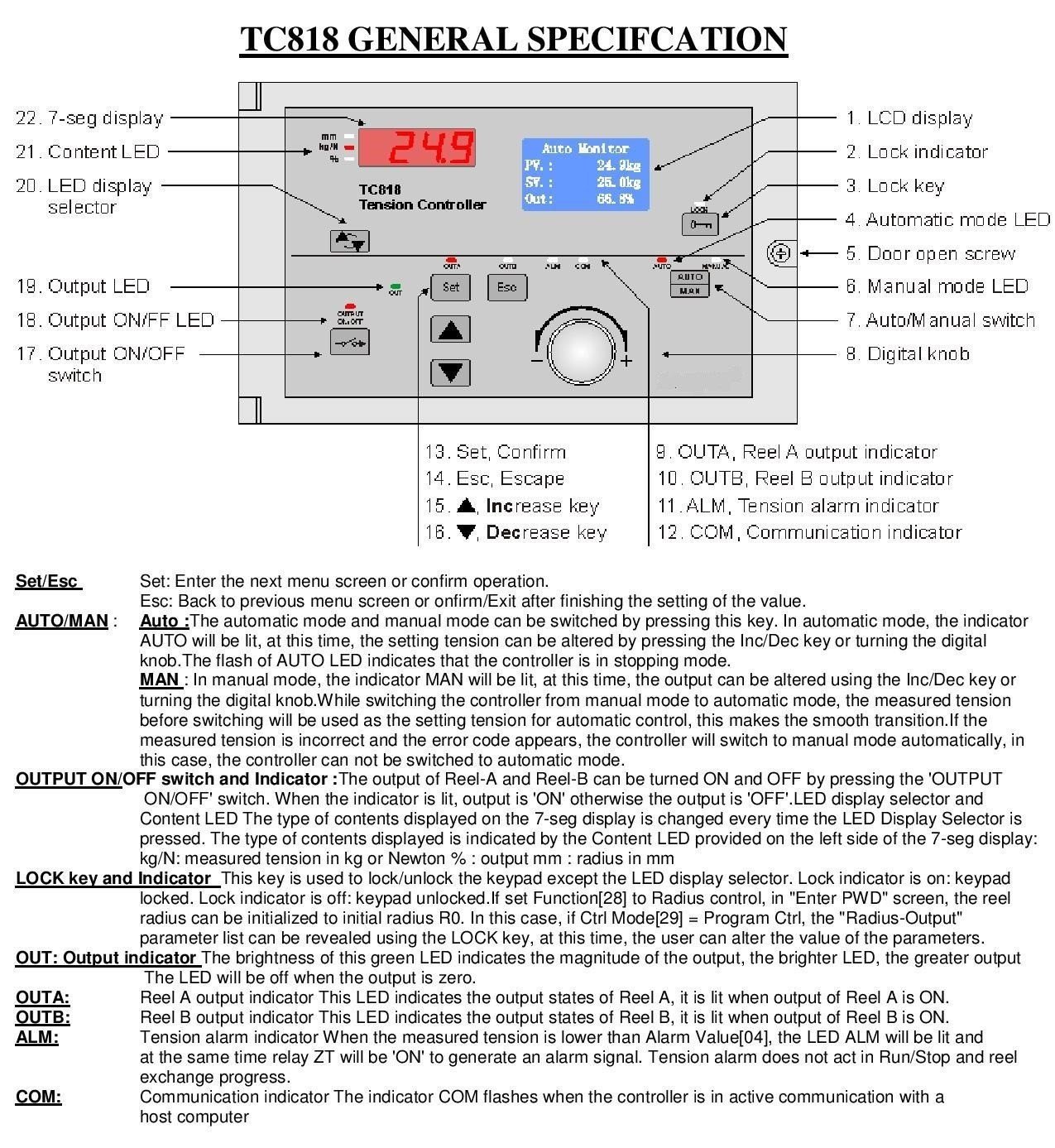
22. Display for tension control output |
| Content LED |
21. Indicates display mode |
| LED Display Selector |
20. Changes displayed content |
| Output LED |
19. Shows output status |
| Output ON/OFF LED |
18. Indicates if output is ON/OFF |
| Output ON/OFF Switch |
17. Turns output ON or OFF |
| LCD Display |
1. Main display screen |
| Lock Indicator |
2. Shows lock status |
| Lock Key |
3. Locks/unlocks keypad |
| Automatic Mode LED |
4. Indicates automatic control mode |
| Manual Mode LED |
6. Indicates manual control mode |
| Auto/Manual Switch |
7. Switch between automatic and manual mode |
| Digital Knob |
8. Adjust settings |
| Set/Confirm |
13. Confirm settings |
| Escape |
14. Exit menu |
| Increase Key |
15. Increase value |
| Decrease Key |
16. Decrease value |
| Output Indicator |
Indicates output magnitude |
| OUTA |
Reel A output indicator |
| OUTB |
Reel B output indicator |
| ALM |
Tension alarm indicator |
| COM |
Communication status indicator |